
Home security cameras allow you to monitor what’s happening around your property in real time while also recording important activity that could help protect your home. Whether you want to keep an eye on your front door, check on pets while you’re away, or deter potential intruders, modern home security cameras provide visibility and peace of mind.
Today’s camera systems do much more than simply record video. Many home security cameras offer live streaming through a mobile app, instant motion alerts, night vision, two-way audio, and smart detection that can distinguish between people, vehicles, and other movement.
In this post, we’ll explain the different types of cameras available, the most important features to look for, and how home security cameras work so you can choose the right system for your home. You can also skip to some of these topics using the links below:
- Why Are Home Security Cameras Worth It?
- What Types of Home Security Cameras Are There?
- How Do Home Security Cameras Work?
- Should I DIY Home Security Cameras?

Why Are Home Security Cameras Worth It?
There are several reasons why homeowners add security cameras to their homes. These devices can help protect vulnerable areas around your property, confirm that children arrived home safely, check in on pets while you are away, and monitor visitors approaching your door.
Most importantly, home security cameras are a powerful security tool. Cameras allow you to monitor important areas around your home in real time and review recorded footage if something unusual happens. From 24/7 live video feeds to saved clips, security cameras give you continuous visibility into what is happening around your property.
Modern home security systems also include advanced camera features designed to make monitoring easier. Some cameras, including Guardian Protection’s systems, use AI-powered video analytics to detect when a person, vehicle, animal, or package enters the camera’s field of view. These smart alerts help you quickly identify important activity without constantly watching your live feed.
Security cameras can also work alongside other smart home automation devices. For example, you can create scenes or automation rules that trigger lights, locks, or other connected devices when motion is detected. These integrations help make your home both safer and more convenient to manage.
Because of their flexibility, home security cameras have become one of the most valuable smart home security devices available today.
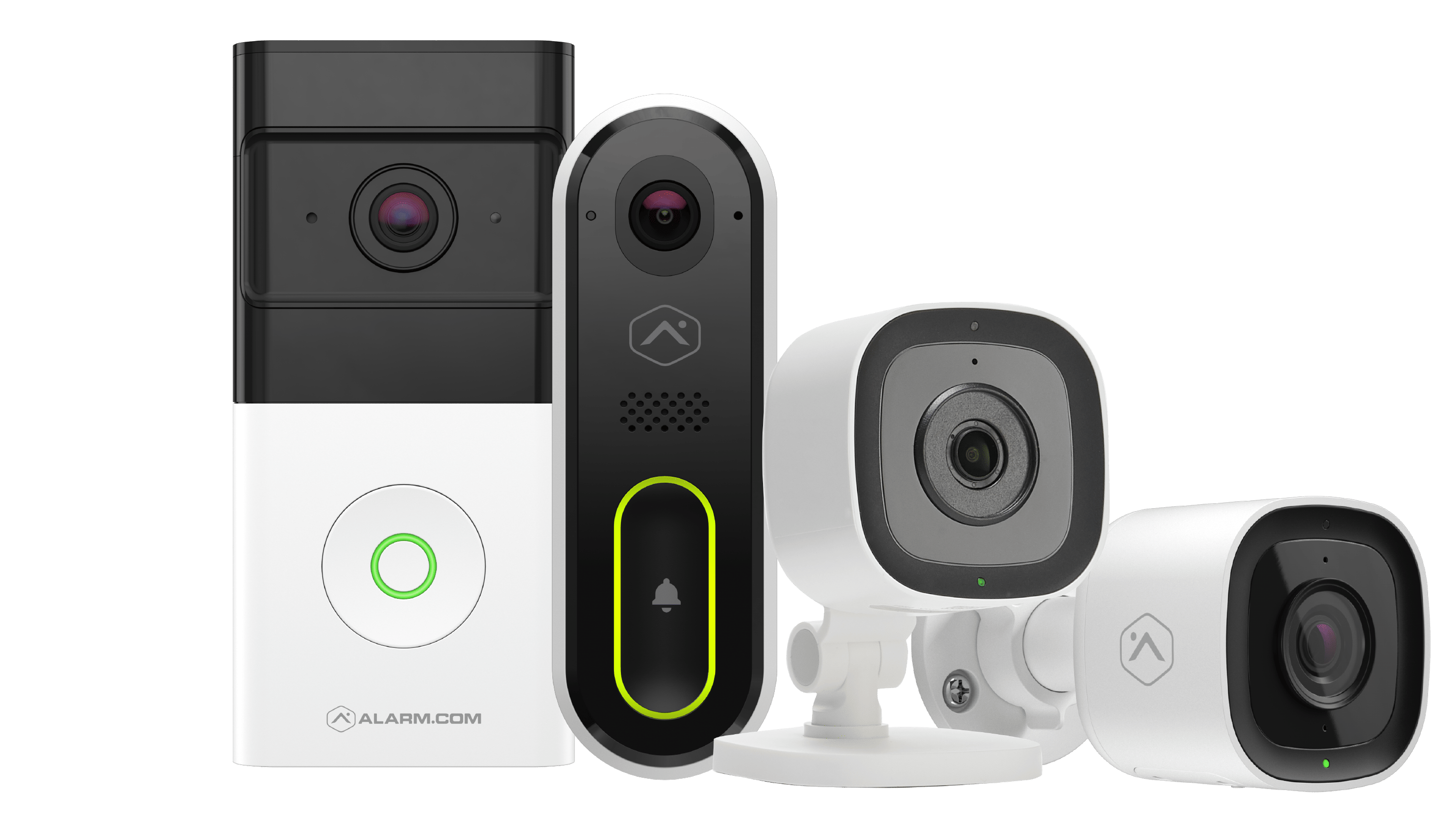
Many homeowners choose a combination of indoor cameras, outdoor cameras, and video doorbells to create complete visibility around their property. Understanding the different types of home security cameras can help you determine which devices are best suited for your home.
Looking for a Security Camera System?
Explore your options with our free Essential Guide to Security Cameras!
What Types of Home Security Cameras Are There?
There are several types of home security cameras you can install to monitor different areas of your property, including outdoor security cameras, video doorbell cameras, and indoor security cameras. Many homeowners combine multiple camera types to create complete coverage around their homes.
Outdoor Security Cameras
Outdoor security cameras are designed to monitor the exterior of your property. These cameras help you keep an eye on entry points such as driveways, front doors, backyards, and garages. With advanced outdoor security camera features like motion detection, tripwires, and perimeter alerts, these devices can notify you when activity is detected around your home.
RELATED: WHAT IS THE BEST OUTDOOR SECURITY CAMERA?
Video Doorbell Cameras
Video doorbell cameras allow you to monitor and interact with visitors at your front door. In addition to notifying you when someone rings the doorbell, these devices provide a live video feed so you can see who is outside your home at any time. Many video doorbells also include two-way audio, allowing you to speak with visitors remotely from your smartphone.
Indoor Security Cameras
Indoor security cameras are commonly used to monitor activity inside your home. These cameras can help you check on children, pets, or other areas of your house when you are away. With live video access through the Guardian Protection mobile app, indoor cameras allow you to quickly view activity inside your home whenever you need reassurance.
Many homeowners install a combination of indoor cameras, outdoor cameras, and video doorbells to create a more complete home security camera system.
How Do Home Security Cameras Work?
Home security looks different for every household. Depending on your needs, the way your home security cameras are installed and operate may vary. Some cameras are wired directly into your home’s electrical system, while others connect wirelessly through your Wi-Fi network. Outdoor security cameras are often wired for continuous power, while many indoor cameras use wireless connections for easier placement. Video doorbell cameras may be available in either wired or wireless versions.
Once installed, home security cameras continuously monitor the areas around your property using motion detection technology to identify activity. When motion is detected, the camera can send a notification to your smartphone so you can quickly check the live video feed. Many smart security cameras also include features like motion alerts, sirens, flashing lights, or two-way audio that allow you to respond immediately to activity.

If your home security system includes professional monitoring, alerts from your cameras can also be shared with a monitoring center. Security professionals can review the situation and help coordinate an appropriate response if an emergency occurs, providing an additional layer of protection when you are home or away.
Should I DIY Home Security Cameras?
Once you choose the home security cameras that best fit your needs, the next decision is how they will be installed. Homeowners generally choose between installing cameras themselves or having a professional complete the installation.
DIY home security cameras have become increasingly popular because many systems are designed for quick setup. Wireless cameras can often be mounted and connected through a mobile app without requiring extensive installation. However, without professional guidance, it can be difficult to determine whether cameras are placed in the most effective locations or configured correctly.
Improper camera placement or installation can reduce the effectiveness of your home security system. Cameras that are positioned incorrectly may miss important areas of your property or fail to capture useful footage during an emergency.

Professional installation ensures that your cameras are installed correctly and positioned for optimal coverage. A trained technician can help determine the best placement for each camera, connect your devices to the rest of your security system, and confirm that everything is working properly before the installation is complete.
While DIY installation may seem convenient, professional installation can help ensure that your home security cameras are set up to provide the most reliable protection for your home.
Securing Your Home With Security Cameras
Home security cameras are some of the most versatile devices you can add to your home security system. Not only can they provide peace of mind by helping protect your property, but they can also make everyday life more convenient.
With smart features like motion alerts, live video access, and mobile notifications, home security cameras allow you to stay connected to what is happening around your home at any time. Whether you are monitoring the inside of your home or keeping an eye on activity outside, having continuous visibility can make a meaningful difference in how secure you feel.
By understanding the different types of cameras available and how they work, you can choose a home security camera system that fits your needs and helps protect what matters most.
Start protecting your home with a state-of-the-art camera security system today by requesting a free quote or calling 800.776.8328.
Frequently Asked Questions
Are home security cameras worth it?
Home security cameras can be a valuable addition to a home security system because they provide visibility into what is happening around your property. Cameras allow homeowners to monitor activity in real time, review recorded footage, and receive alerts when motion is detected. In addition to helping deter potential intruders, many homeowners use cameras to check in on pets, confirm deliveries, and monitor entry points around their homes.
Do home security cameras require Wi-Fi?
Many modern home security cameras use Wi-Fi to transmit video footage and send alerts to your smartphone or mobile device. A wireless internet connection allows you to view live video, receive motion notifications, and access recorded clips remotely. Some wired camera systems may store footage locally without relying on Wi-Fi, but internet connectivity is typically required for remote access and smart alerts.
What is the difference between indoor and outdoor security cameras?
Indoor security cameras are designed to monitor activity inside your home and are commonly used to check on pets, children, or interior entry points. Outdoor security cameras are built to withstand weather conditions and are typically installed near driveways, garages, and exterior doors. Outdoor cameras often include weather-resistant housing, night vision, and wider viewing angles to monitor larger areas around your property.
Are wired or wireless home security cameras better?
Both wired and wireless home security cameras offer benefits depending on your needs. Wired cameras are often connected directly to a power source and can provide reliable continuous operation. Wireless cameras connect through your home’s Wi-Fi network and are typically easier to install and reposition. The best choice often depends on where the camera will be installed and how you want to power the device.
Can home security cameras work with smart home devices?
Yes. Many modern home security cameras can integrate with smart home systems and connected devices. Cameras may trigger alerts or automation routines when motion is detected, allowing other devices to respond automatically. For example, a camera detecting activity outside your home could trigger lights connected through smart plugs to turn on or send notifications to your smartphone so you can check the live video feed.
Discover More About Home Security
Get more information on how to enhance your home’s protection.